 Whisperer
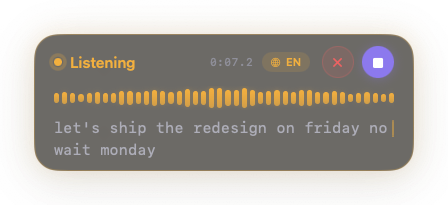
A calm little heads-up panel
While you talk, a floating glass card shows the waveform, a timer, and your words arriving live. When you stop, it slips away — no window to manage, nothing to click.
Hold a key and talk. Your words land in whatever you're writing — transcribed on your Mac's Neural Engine, in real time, in any app. No cloud, no account, no subscription.
100% free Notarized by Apple macOS 26+ · Apple Silicon
hey sarah quick update on friday's release
That's the whole workflow. Whisperer lives in your menu bar and works in every text field on your Mac — Mail, Notes, Slack, your editor, your browser.
Press and hold ⌥ Space anywhere in macOS — or set any shortcut you like, with hold-to-talk or tap-to-toggle. Cursor in a text field? You're already dictating.
A small floating panel shows a live waveform and your words as you say them — streaming from the Neural Engine, not from a server. Speak naturally; even long thoughts keep up.
Release the key and the finished text lands right where your cursor was — capitalized, punctuated, with your custom vocabulary applied. A soft chime says it's done.
Most dictation tools stream your voice to a server and charge you monthly for the round trip. Whisperer keeps the entire journey inside your Mac.
| Cloud dictation apps | Whisperer | |
|---|---|---|
| Where your voice goes | Streamed to a server, transcribed there, sent back | Never leaves the machine — recognized on the Apple Neural Engine |
| Price | $8–15 a month, forever | Free. Every feature, no trial, no watermark |
| Account | Sign-up, login, usage quotas | None. Download, grant the mic, talk |
| Offline | Needs a connection to work at all | Works in airplane mode, after one model download |
| While you speak | Wait for the network round trip | Live words appear as you say them |
| Password fields | Varies | Detected and never touched — nothing typed, nothing stored |
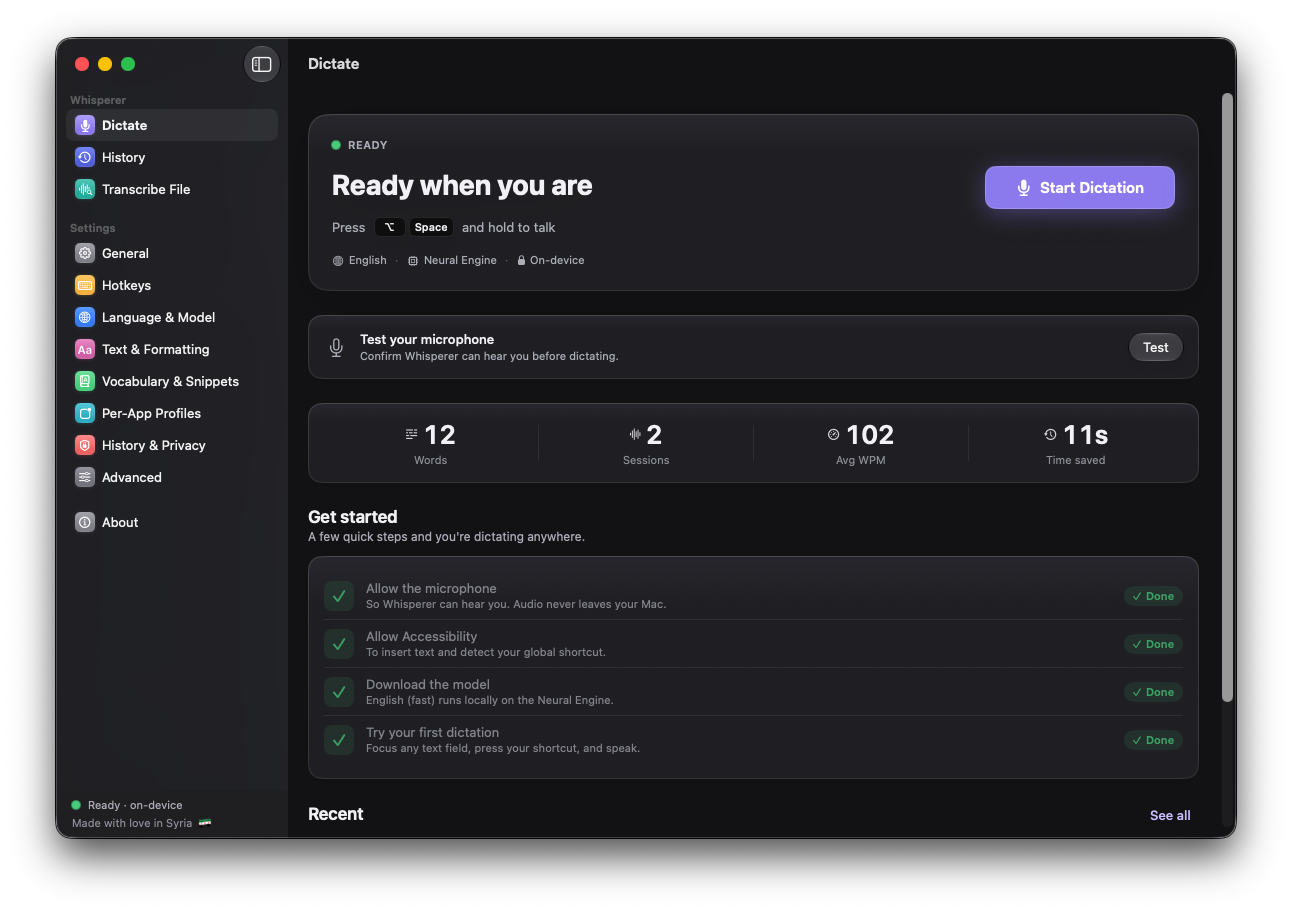
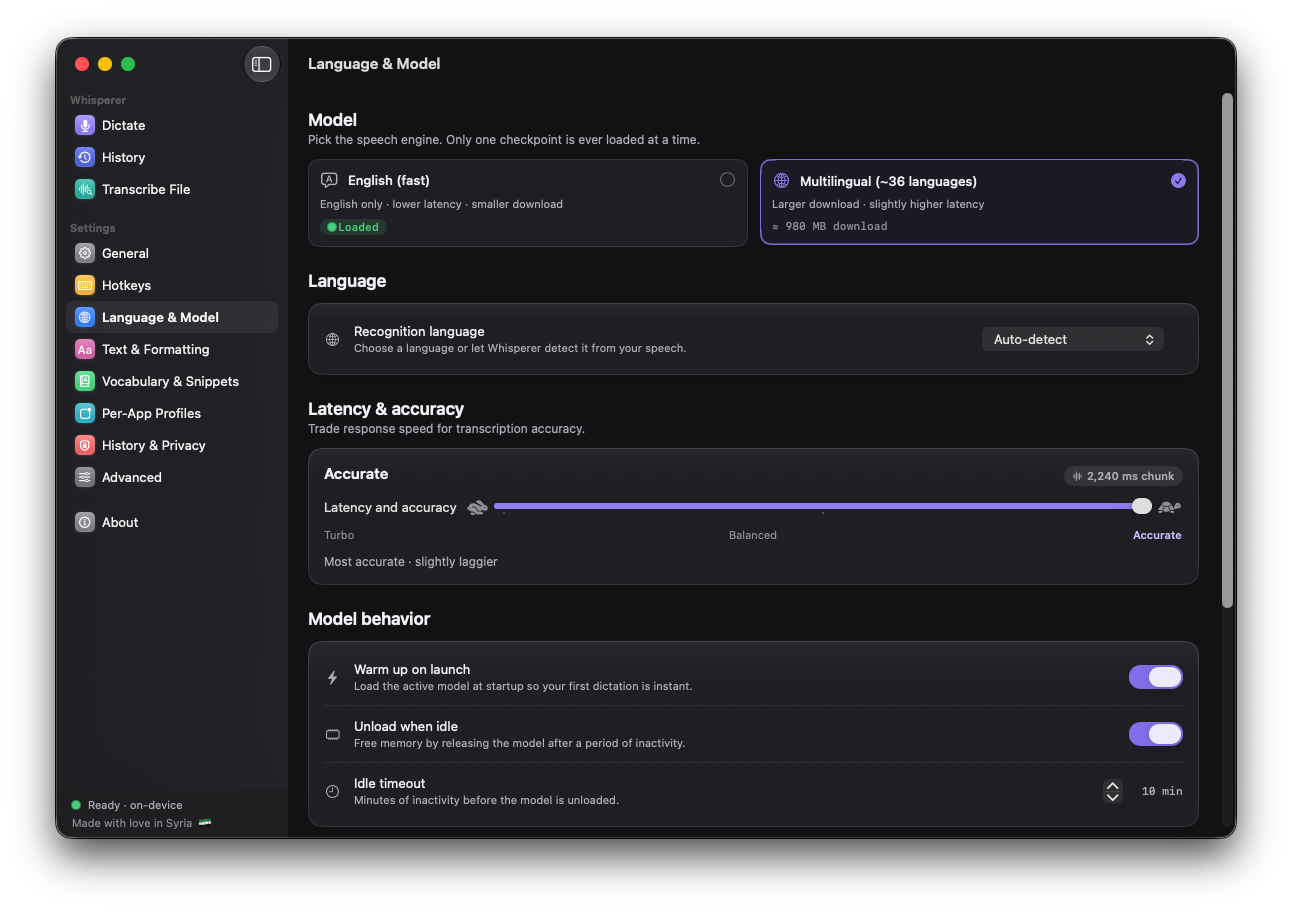
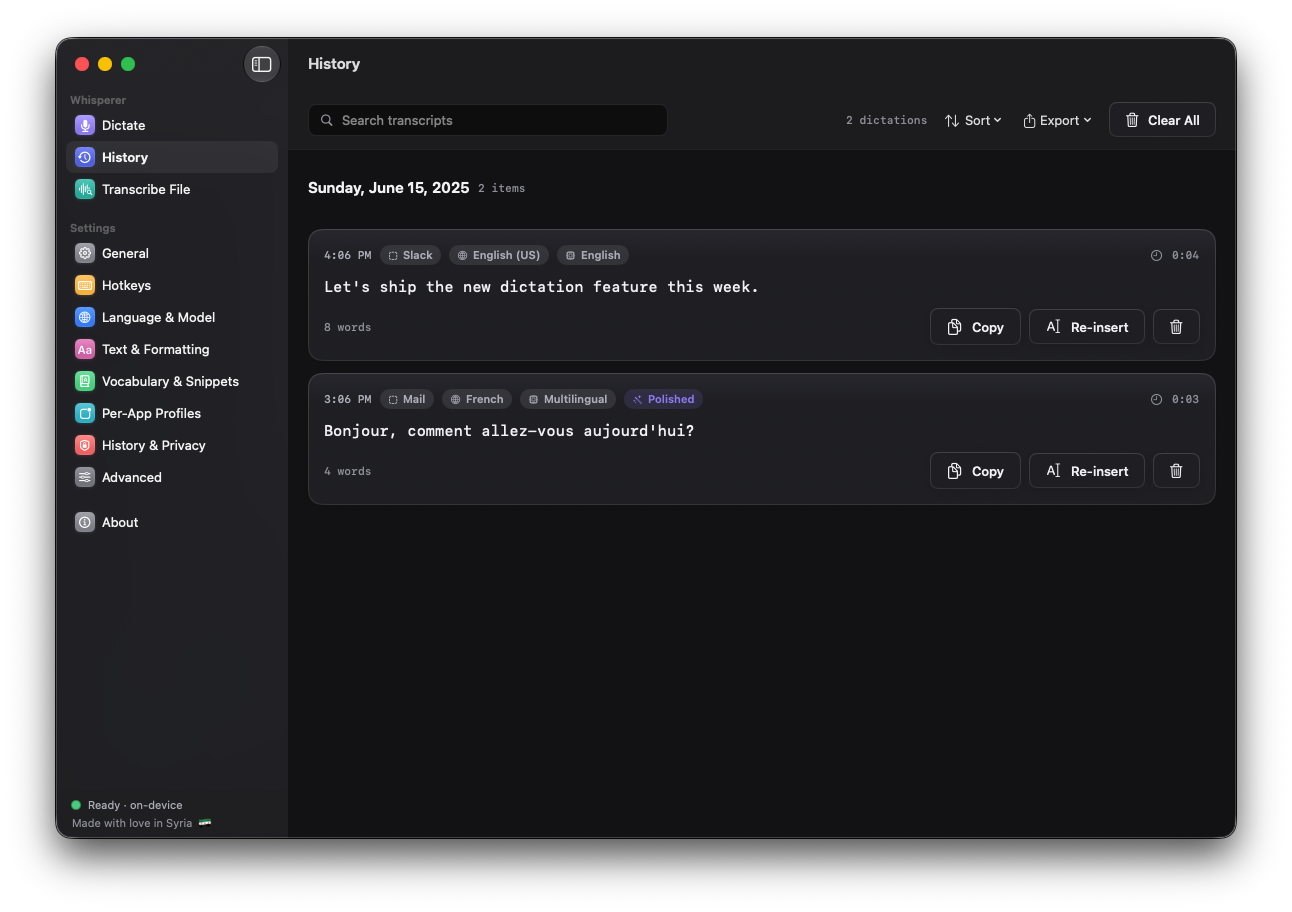
Native SwiftUI, a calm dashboard, and settings that respect you. These are actual screenshots, not mockups.
Everything a paid dictation service does — done locally, and then some.
While you talk, a floating glass card shows the waveform, a timer, and your words arriving live. When you stop, it slips away — no window to manage, nothing to click.
The multilingual model recognizes about thirty-six languages and can detect which one you're speaking. The interface itself speaks ten — including full right-to-left Arabic.
Teach it names and jargon with custom vocabulary, expand spoken triggers into full snippets, and let smart formatting handle capitals and punctuation.
An optional on-device language model cleans up fillers and self-corrections ("on Friday— no, Monday"). Off by default, downloaded only if you ask, and never cloud.
Drop in meetings, voice memos, or videos and get a full transcript — with optional speaker labels — at many times real-time speed.
Every dictation is saved locally and searchable (or turn history off entirely). Give each app its own language, model, or tone.
If a stubborn app won't take the text, it's on your clipboard — guaranteed. And Whisperer refuses to type into password fields, by design.
Your voice travels from the microphone to the Neural Engine to your document — all inside the machine on your desk. There is no server, because none is needed.
No audio or text ever leaves your MacRecognition, formatting, and the optional AI polish all run locally on Apple Silicon.
The only network use is model downloadsSpeech models download once, then everything works in airplane mode.
No account, no telemetry, no analyticsThere is nothing to sign in to and nothing watching how you use it.
History is local and optionalTranscripts are stored on your Mac, with retention you control — or not stored at all.
data sent to servers: 0 bytes
One multilingual model, ~36 languages, automatic detection — and an interface localized into 10 languages, Arabic RTL included.
Requires macOS 26 (Tahoe) or later on Apple Silicon (M1 or newer). The SHA-256 checksum is published with each release.
Yes. Every feature — dictation, all the languages, file transcription, AI polish, history, profiles — is free, with no trial timer, no watermark, and no locked settings. There's no account and nothing to buy.
Nowhere. Audio is captured, recognized on your Mac's Neural Engine, and turned into text entirely on-device. Whisperer makes no network calls while you dictate; the only network use in the whole app is downloading the speech models, once.
Anywhere you can place a text cursor: native Mac apps, browsers, Electron apps like VS Code and Slack, terminals. The finished text is inserted with one reliable paste — and if an app refuses it, the text is on your clipboard, guaranteed. Password fields are detected and left strictly alone.
The English model is the fastest way to dictate in English. The multilingual model covers roughly 36 languages — Arabic, Spanish, French, German, Chinese, Japanese, Korean, Hindi, and many more — and can auto-detect the language you're speaking. The app's interface is localized into 10 languages, including full right-to-left Arabic.
Whisperer runs NVIDIA's Nemotron/Parakeet-class streaming models via Apple's Neural Engine, showing partial words while you're still speaking. A latency–accuracy slider lets you pick snappier responses or a more careful transcription; file transcription runs at many times real-time.
An optional pass by a small language model that runs locally: it removes fillers, fixes self-corrections ("on Friday— no wait, Monday" becomes "on Monday"), and tidies punctuation. It's off by default, English-only, requires an explicit ~1 GB model download, and never sends anything anywhere.
macOS 26 (Tahoe) or newer on Apple Silicon (M1 and up). The app itself is about 22 MB; the speech model you choose downloads once on first run (about 250 MB for English, about 1 GB for multilingual). It asks for Microphone and Accessibility permissions — the second is how it types into other apps.
The App Store sandbox forbids exactly the two things that make Whisperer useful: a system-wide hotkey and typing into other apps. So it ships the classic Mac way — a signed, Apple-notarized download that Gatekeeper opens without a warning.
One small menu-bar app. Hold a key, speak your mind, and keep your voice to yourself.